Control S

Product Design, 3D Modelling, UX Design, UX Research
DURATION
1.5 Months
PRoject type
Product Design, 3D Modelling, UX Design, UX Research
Project year
2021

OVERVIEW

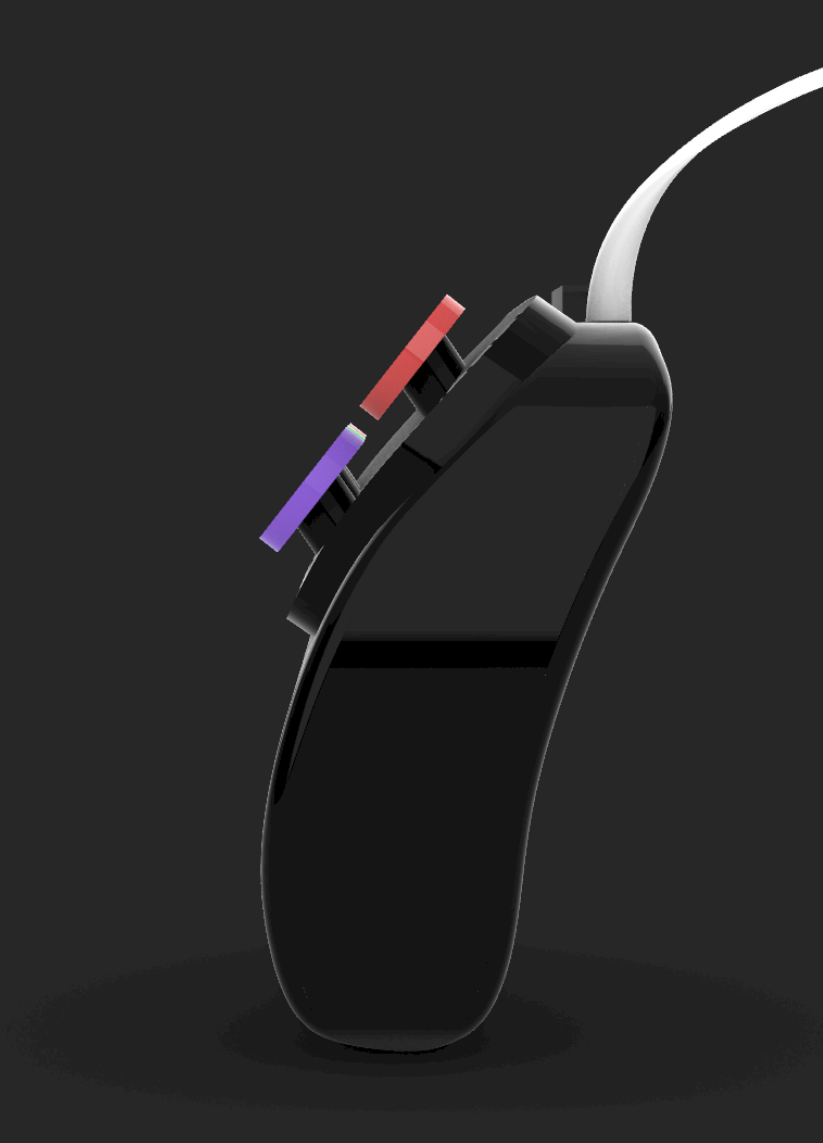
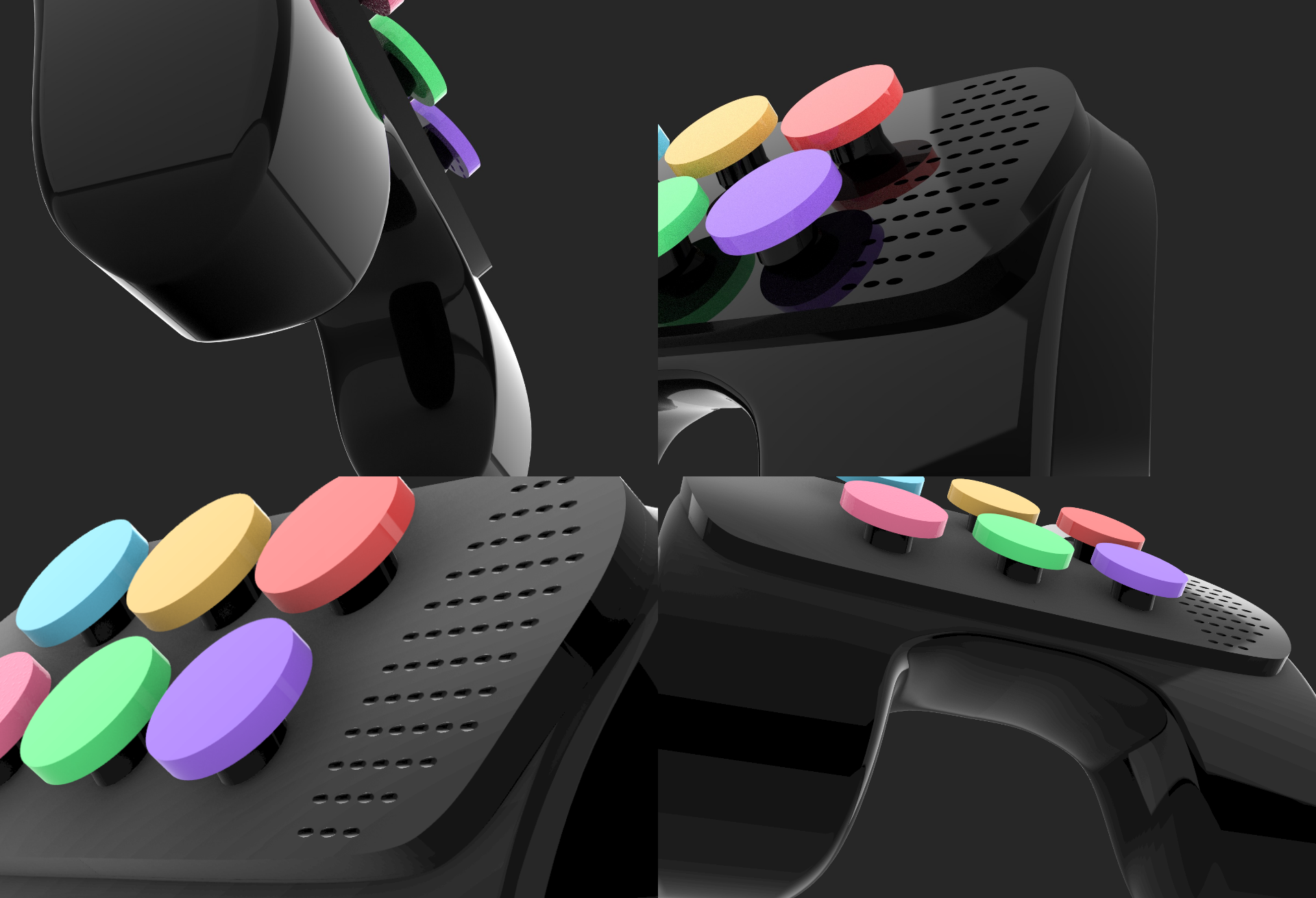
Control S is a gaming console that helps young autistic children select options on the screen based on different coloured boxes on the console. The console comes with a drive that includes mini games that help improve skills such as memory, reaction control and sequentially teaches them how to complete tasks such as road safety, gardening, pet care and house chores

01

CHALLENGE

There are many games that have been designed for autistic children, most of these being flashcards or board games that teach letters of the alphabet, numbers, and other such educational concepts that parents think can be left for a little later. One aspect that needs more focus on, is the child’s ability to complete basic tasks, such as crossing the road, caring for a pet, or brushing their teeth. They also need to learn and understand how to react to situations, for example, if they are being bullied,  should they start a fight with someone? Or what other actions could they take when they are being bullied.
02

DESCRIPTION

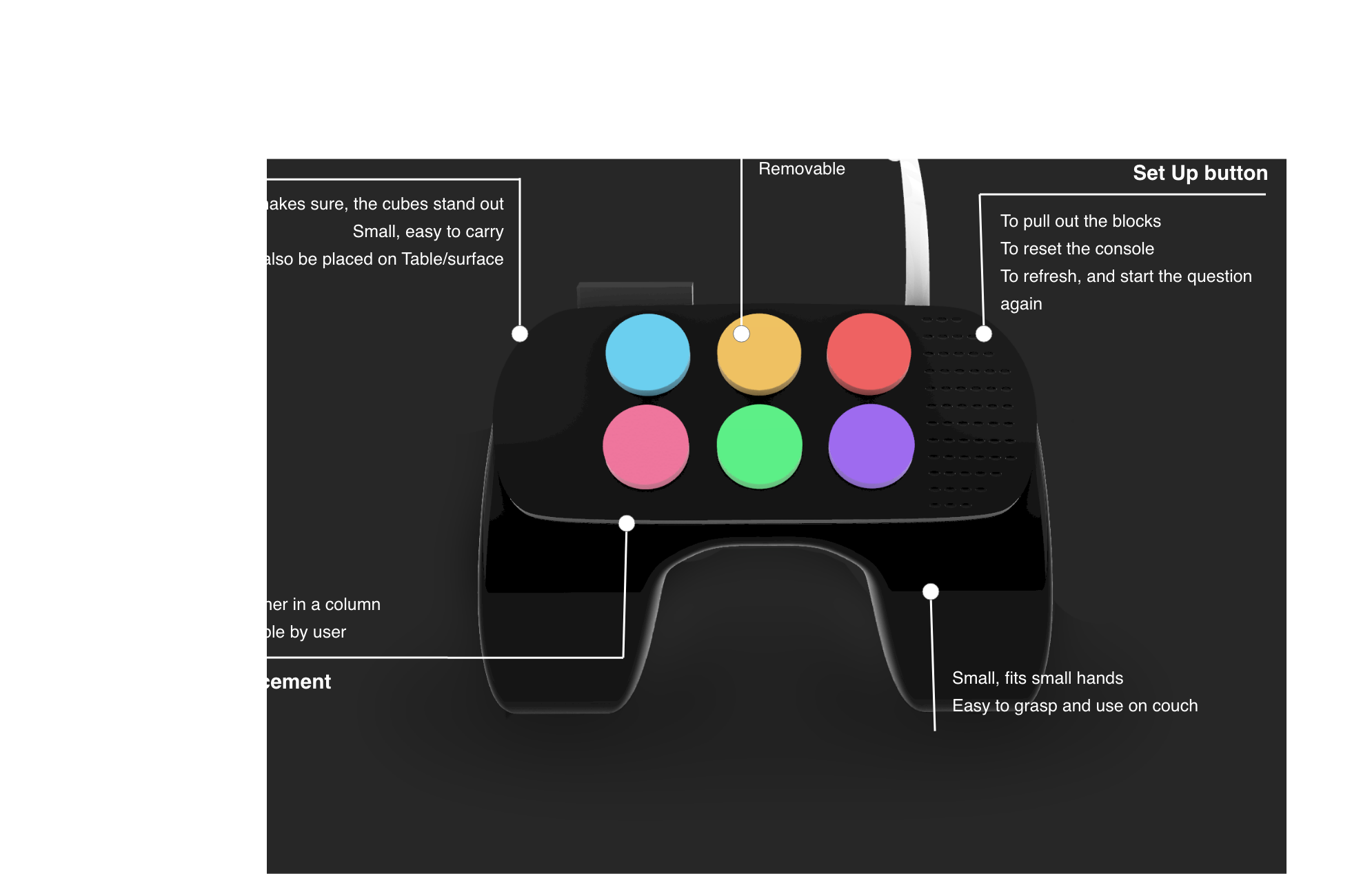
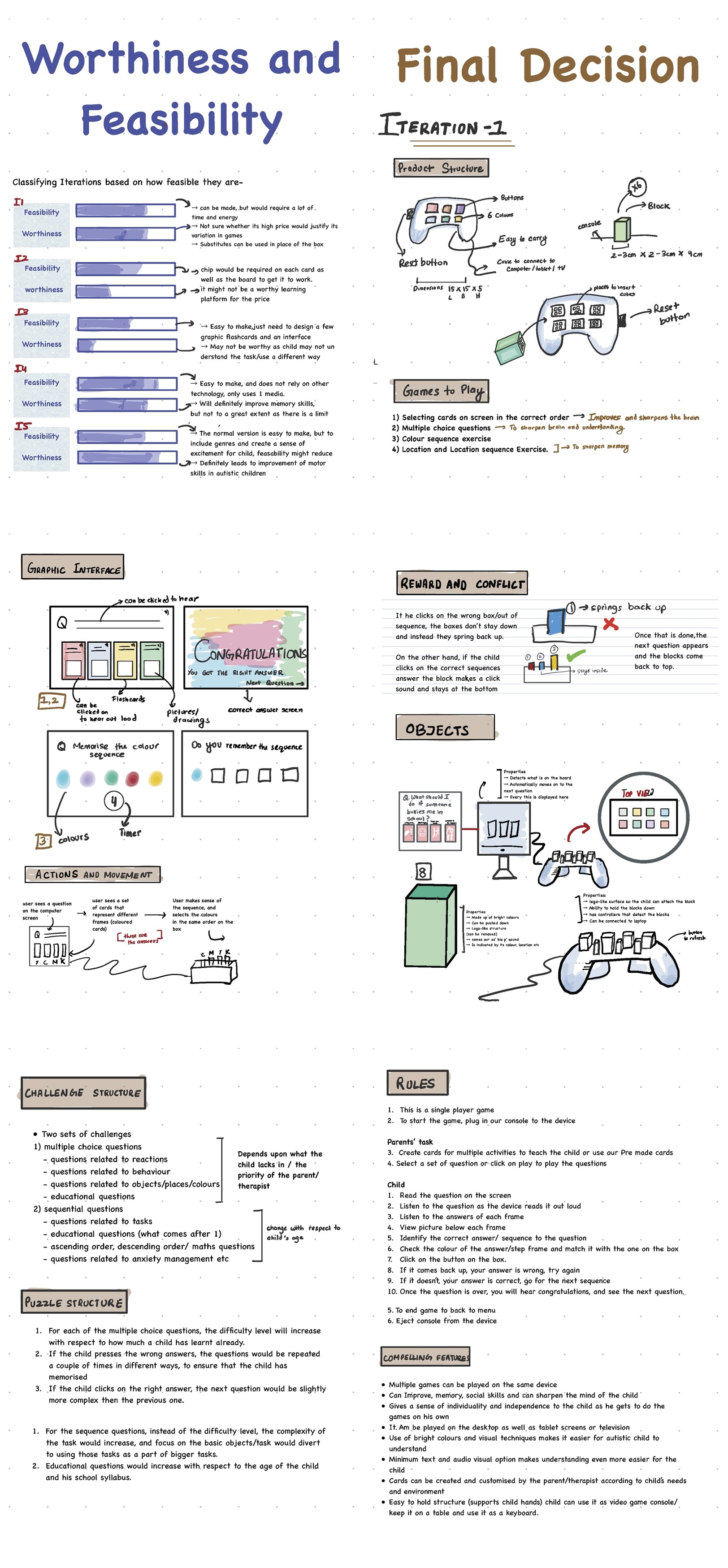
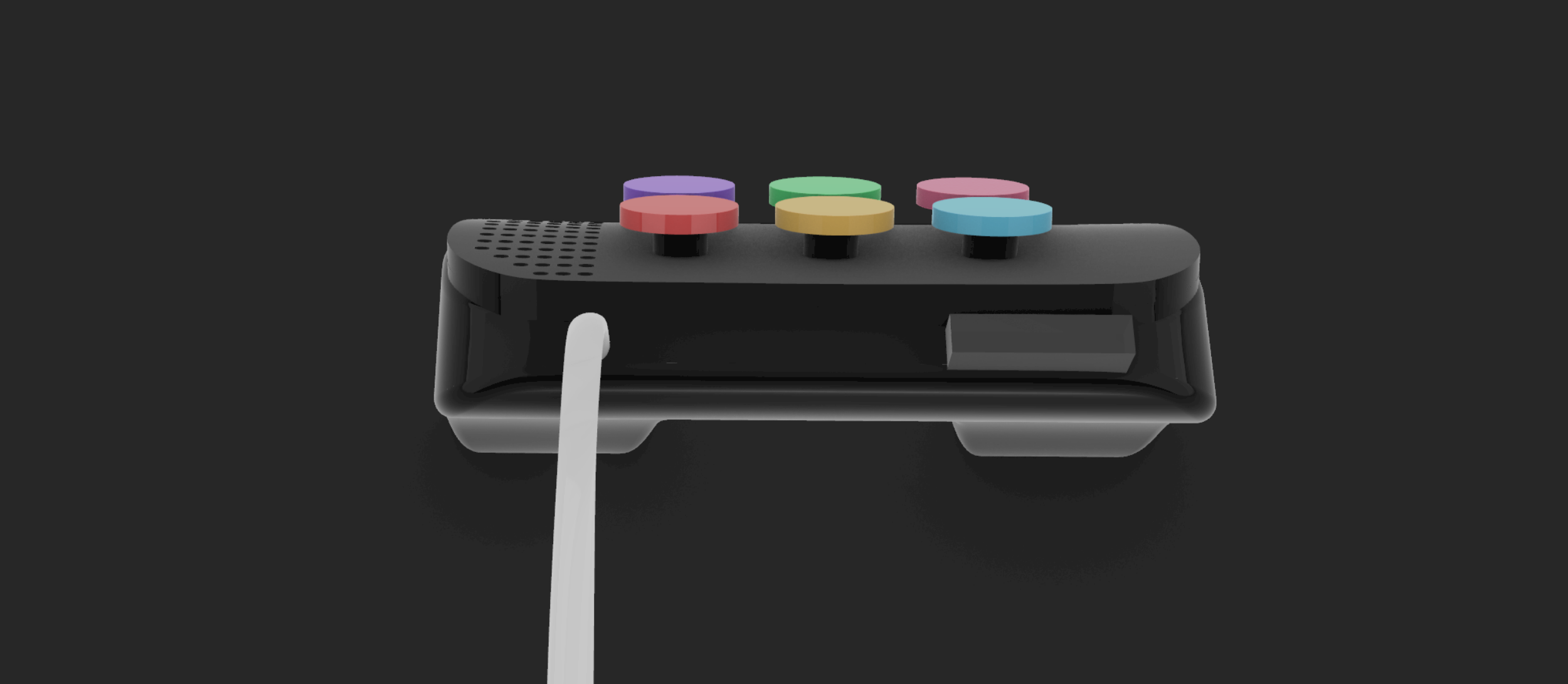
The Control S console has the shape and structure of a video game console, but instead of joysticks and selection buttons, it has 6 cube buttons of different colours that can be clicked. The game comes with a drive that has three sets of challenges. Each challenge focuses on improving a different skillset using a different way of learning. These challenges can be viewed on any wide screen, and this console can be connected to play the game.
03

TARGET AUDIENCE

Children with level 1 Autism/ Asperiger’s syndrome
Age Group: 4-7 years old
Abilities:
- Can identify different colours and distinguish between them.
- Can understand what a person is saying, and can read a few words
- are able to make a connection between the screen and console
- Need to constantly be challenged to initiate better learning
Gender: Any
Demographics: Anywhere

04

PLATFORMS

Tablet
PC
Smart TV

05

TYPE

Learning Game

CHALLENGE 1 of 3

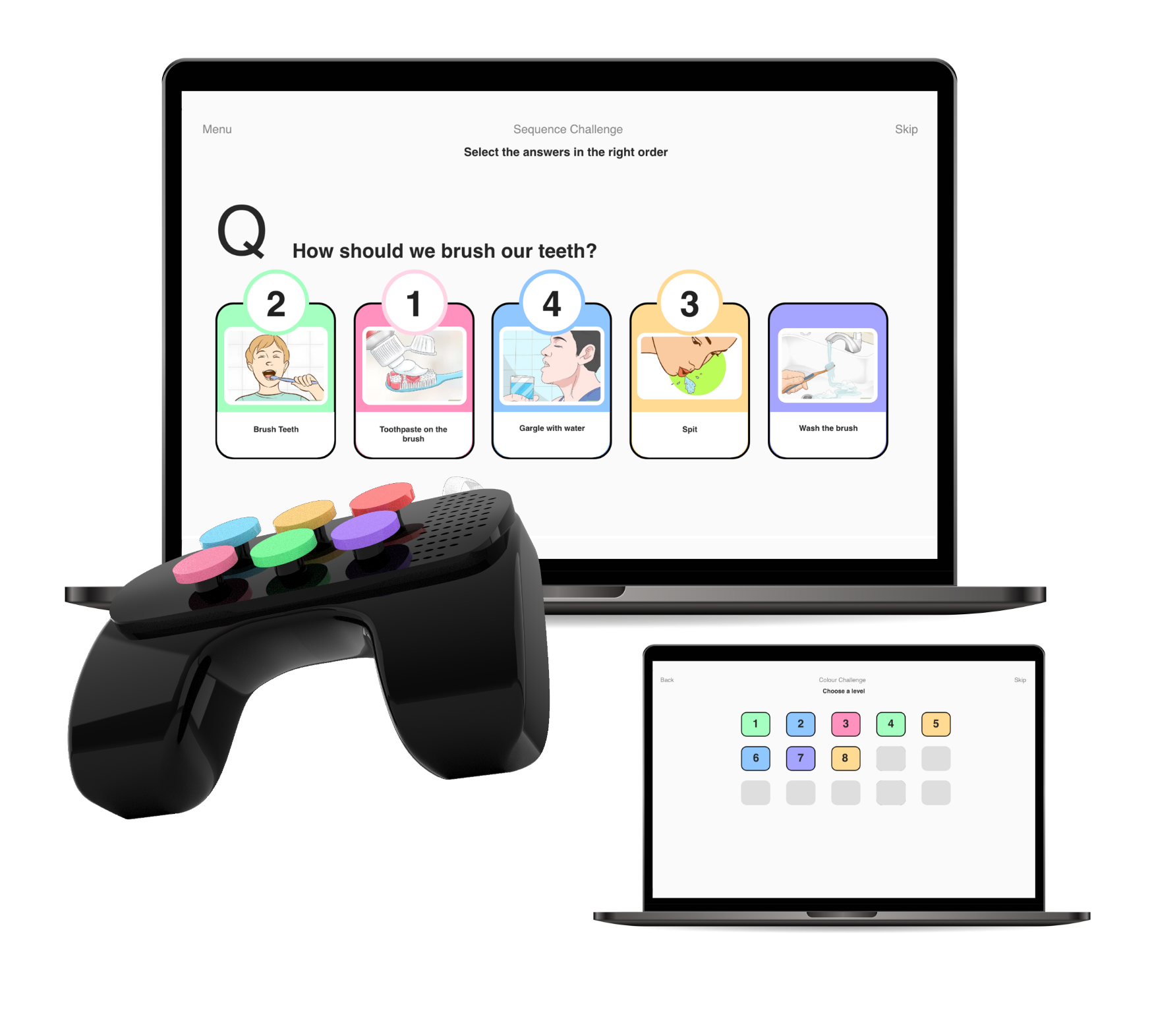
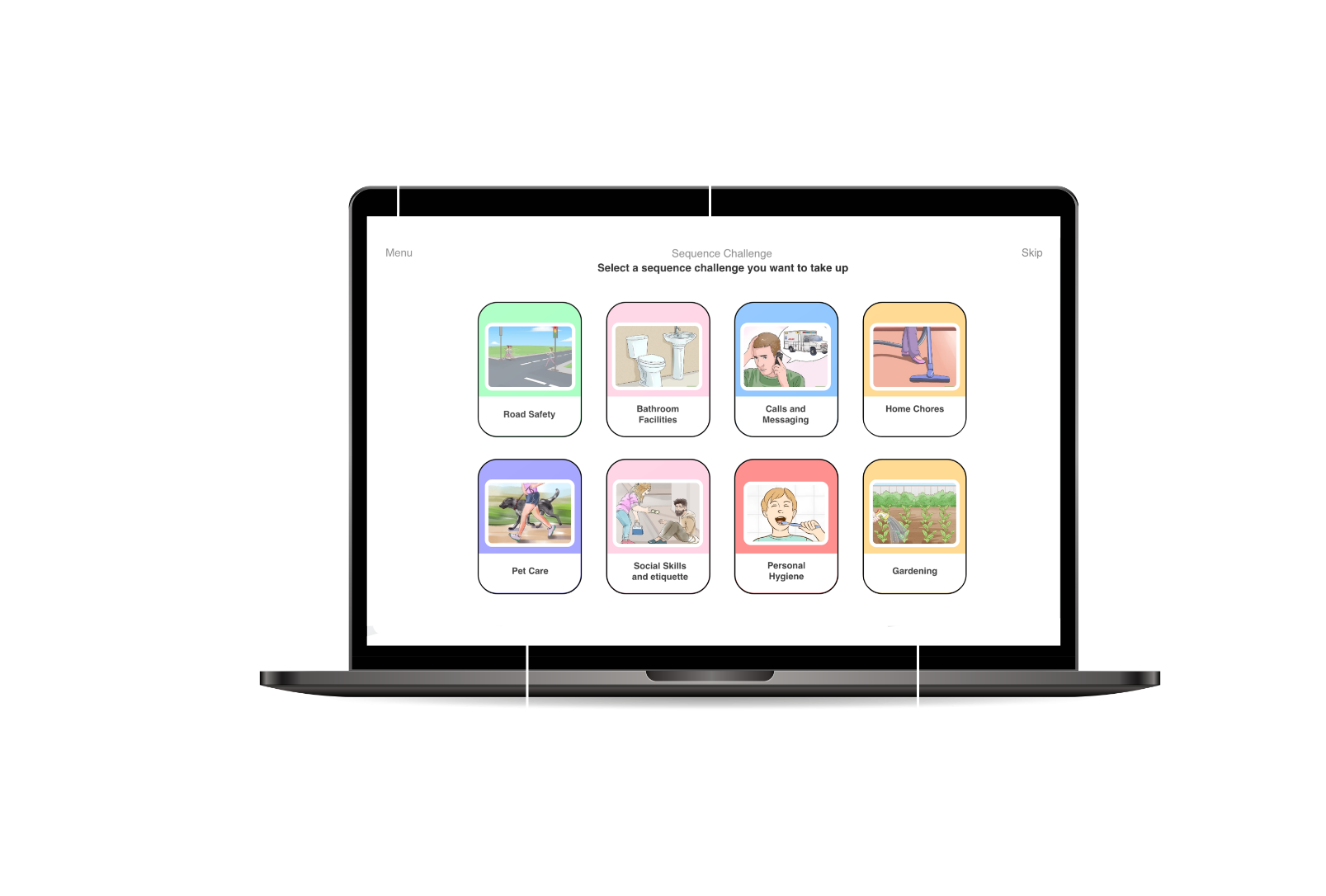
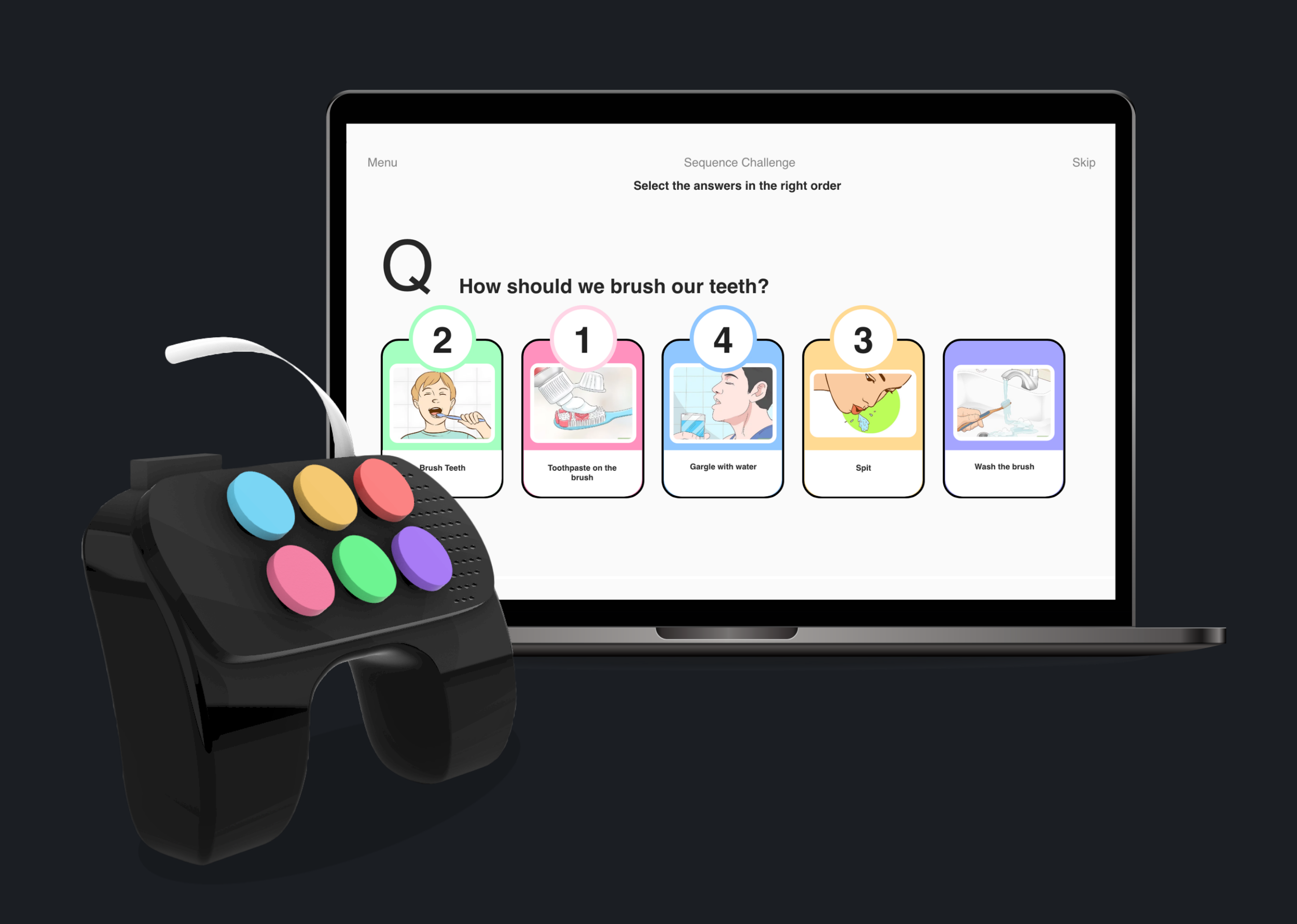
SEQUENCE CHALLENGE

Usually Autistic children find it easier to understand things when taught step by step. Say for example, picking an apple can be understood better, when they are first taught to pick, then they are taught what an apple is, and then final they are taught how to pick up the apple.
Based on that learning methodology, this challenge focuses on teaching user the sequence of particular tasks, and making sure, they follow the sequence in the right order

Levels

The level starts off by a very easy questions such as the example above and then moves on to more lengthy, and complicated tasks as the child starts to grasp concepts.
  • Lengthiness of the Task:
    Once the child starts getting used to the keys, their location and the concept of the game, the tasks would increase based on the number of sequence frames on each questions, ranging from 2-6.
  • Task Type:
    As the child starts understanding basic level tasks, and meaning of words, the type of tasks given to them would also increase based on its complexity. For example, they would go from how to walk on the footpath, to how to cross roads, to how to behave while crossing the road.
  • Word and Information Complexity:
    Another aspect that the levels would focus on would be increasing the complexity of words and information used, for example in level 1, the game would talk about what signals, in level 2, the game would use signals as a term in options

How To Play

  • After the user enters the game, and selects the sequence challenge options, he will see a list of topics to choose from. These topics represent the exact tasks that the parent/therapist want the child to learn.
  • Upon selecting a topic the user would be able to see the levels that they have completed, and that remain.
  • After the user selects a level, the user would come across a set of task questions displayed on the screen. (No. of question depend on the topic).
  • These questions would appear one after another as the child answers them.
  • The procedure/answer of the task question would be in frames that would be placed in a jumbled up sequence below the question.
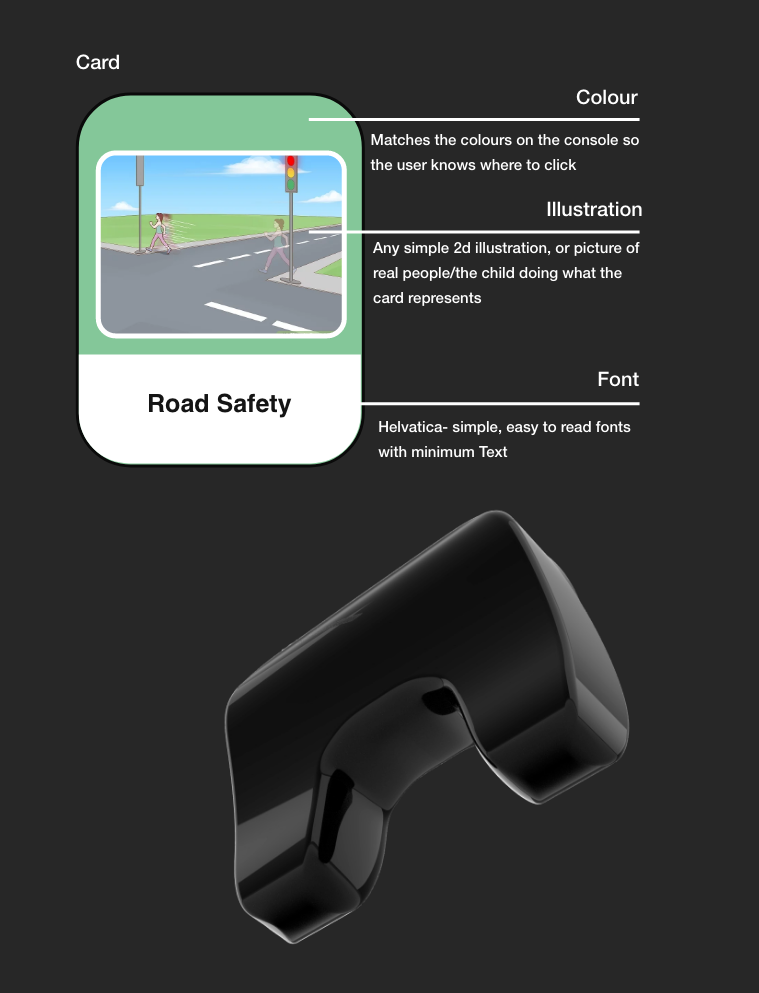
  • To select the sequence of the answer, the user would click on the same colour on the console as the card on the screen. So for example, if the first step to ‘crossing the road’ is written on the second frame which shows
    the colour blue, the child has to click on blue block on the console first.
CHALLENGE 2 of 3

MCQ CHALLENGE

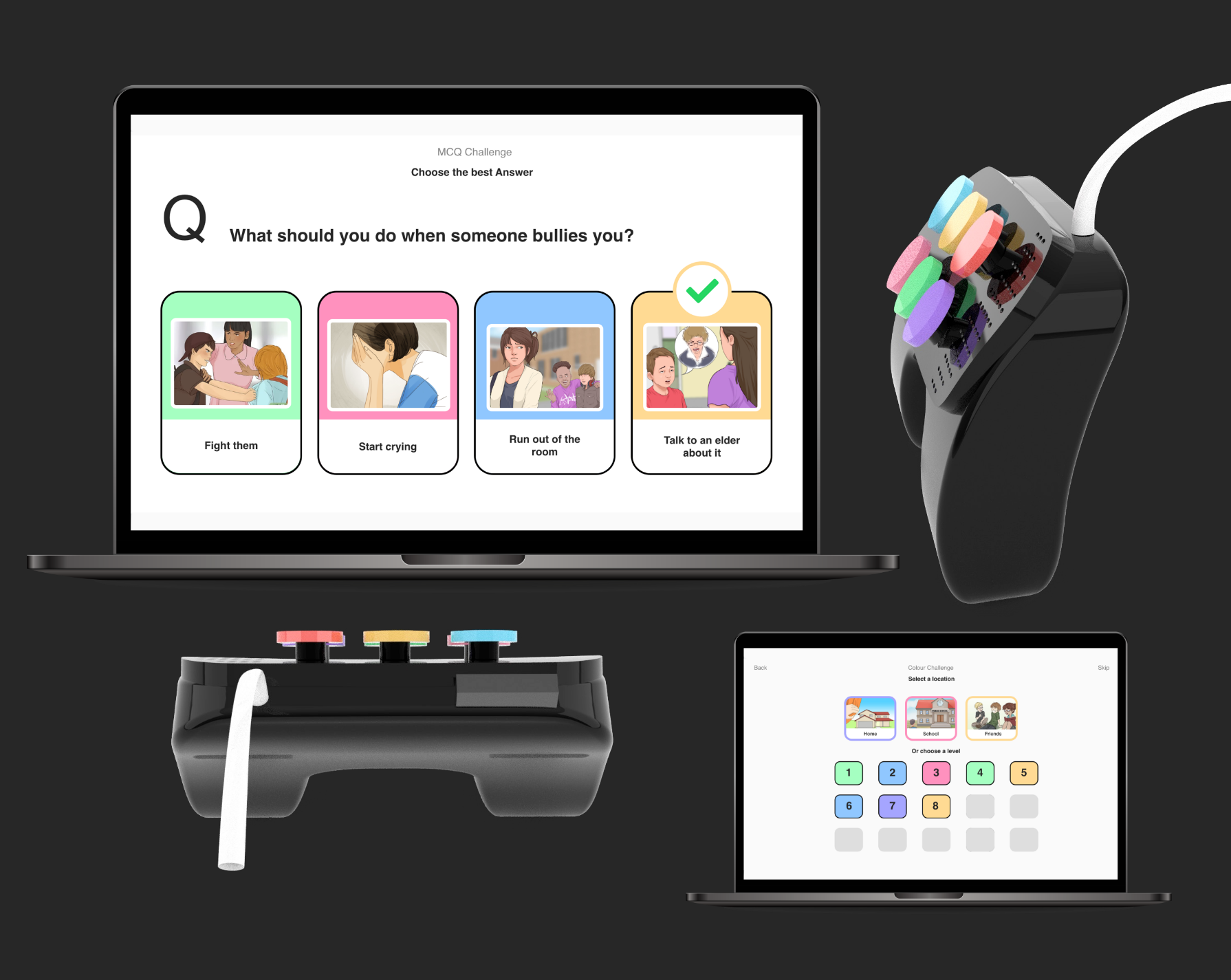
According to research, asking autistic children the right questions can help them in better learning. Inspired by this, the MCQ Challenge, would put the child in a particular situation and ask them what they would do if they were in that situation, by giving options to choose from.

Through this game, they would be able to comprehend the right decision to take if/when they face a similar situation in future. If they select the wrong answer, they will understand that it wasn’t the right thing to do. The pattern of this game and the topics given would be similar to the previous Sequence Challenge, but their approach, and main focus, would not be on teaching the task, but instead, in understanding the right way to do it.

Levels

The level starts of by putting the user in easy situation, where the user would most probably know what to do, but then it would move forward to either a more complex version of it, or different kinds of information that would provide a better learning platform for the kids
  • Complexity of the situation:
    This aspect would focus on increasing the difficulties level of the questions. The vocabulary that might be used would be different
  • Education and Age:
    As children grow older, they learn new things related to academics. This aspect would focus on question related to academics, mathematics, and other similar subjects
  • Anxiety Management:
    This level would give questions that are connected to anxiety management, and other such behavioural aspects of student life. They would teach you how to react, and show different emotions, and when to show them.

How To Play

  • After the user enters the game, and selects the MCQ challenge options, he will see a list of topics to choose from. These topics represent the exact questions that the parent/therapist want the child to know the answer to
  • Upon selecting a topic the user would be able to see the levels that they have completed, and that remain.
  • After the user selects a level, the user would come across a question displayed on the screen. (No. of question depend on the topic).
  • These questions would change one after another as the child answers them.
  • The answer to those questions would be in the frame below, there could one answer, or more than one answer depending on the question.
  • To select the answer, the user would click on the same colour on the console as the card on the screen. So for example, if the answer is on a blue card, the user will click on the blue button on his console
CHALLENGE 3 of 3

MEMORY CHALLENGE

According to research, asking autistic children the right questions can help them in better learning. Inspired by this, the MCQ Challenge, would put the child in a particular situation and ask them what they would do if they were in that situation, by giving options to choose from.

Through this game, they would be able to comprehend the right decision to take if/when they face a similar situation in future. If they select the wrong answer, they will understand that it wasn’t the right thing to do. The pattern of this game and the topics given would be similar to the previous Sequence Challenge, but their approach, and main focus, would not be on teaching the task, but instead, in understanding the right way to do it.

Levels

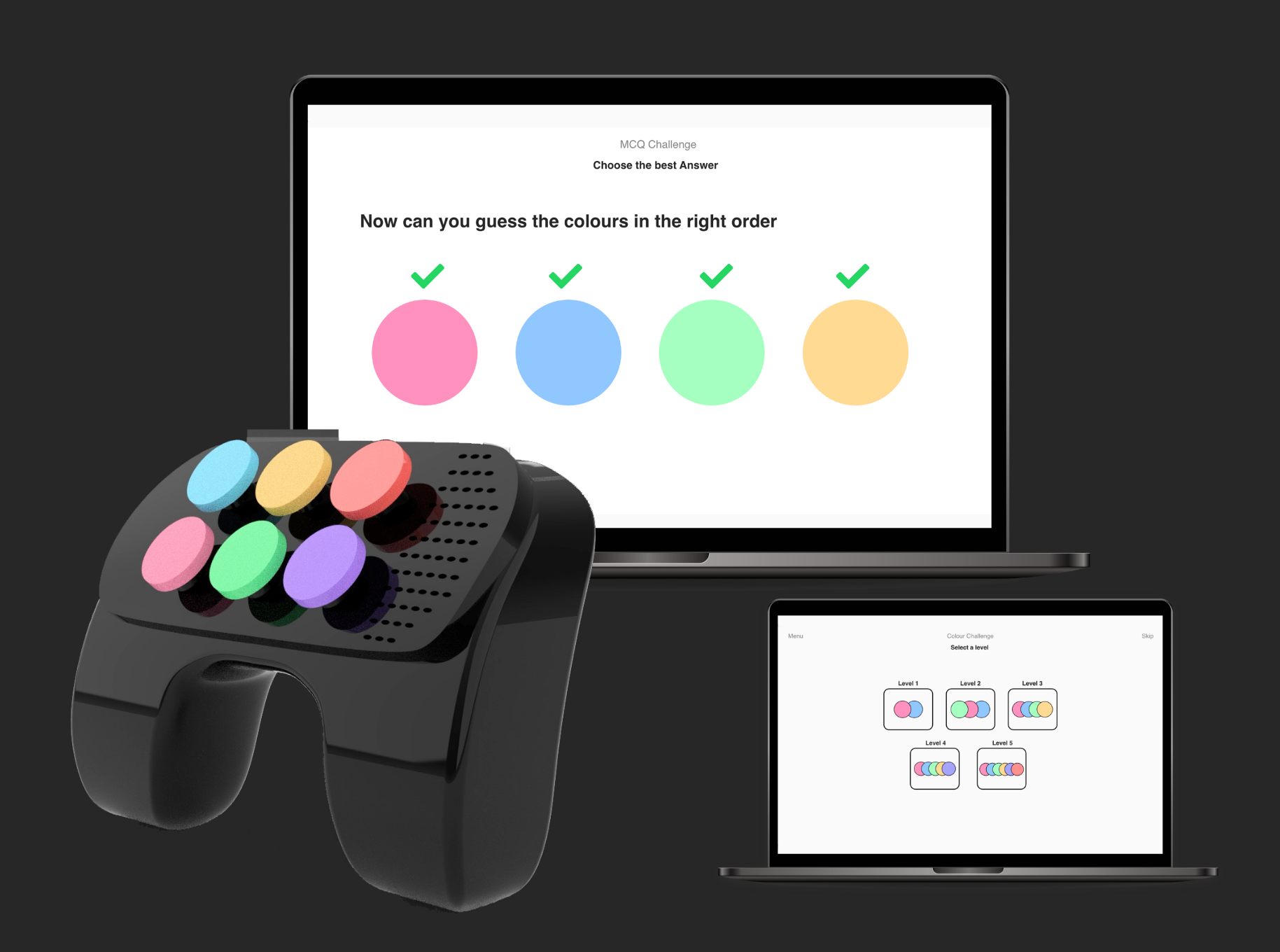
The levels of this game increase according to the child’s ability to remember the previous sequence.

How To Play

  • After the user enters the game, he/she would see three sets of challenges out of which they would have to select the colour Challenge
  • Upon selecting a topic the user would be able to see the levels of the game, ranging from 2-10+.
  • After the user selects a level, the user would come across a set of colours that would be displayed in the sequence. For level 2, there will be 2 colours displayed, for level 3, 3 colours and so on.
  • The user needs to memorise the the sequence.
  • Once the timer ends, the colours would stop being displayed, and the user would have to select them according to their sequence on the console
06

COMPONENTS

07

USP

1. Created specifically for children with ASD
2. Child-friendly design, simple to hold, and works well while kept on the table as well
3. No complicated buttons of different shapes and sizes
4. Does not require child to memorise anything that is not a part of learning aim. For e.g. The child doesn’t need to memorise the function of each button like in a regular video game console.
5. Multiple Games can be played
6. User Interface is clear and easy to understand with minimum text
7. Support visual Learning ability
8. Includes text to sound, and other sound effect options as well.
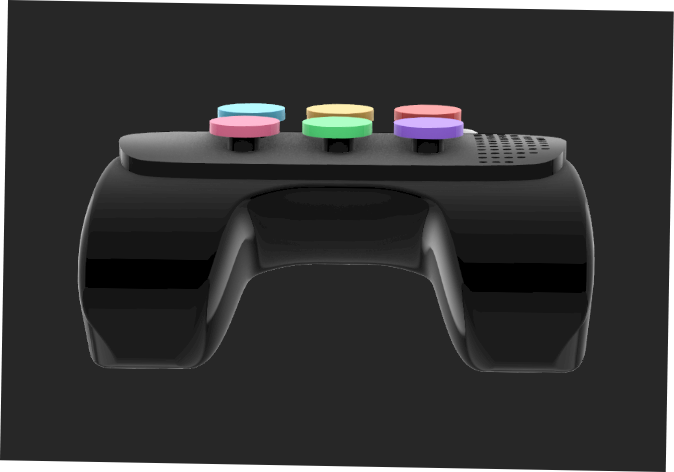
Why can’t this game be played like a normal online game on the mouse? What is so special about having that console.

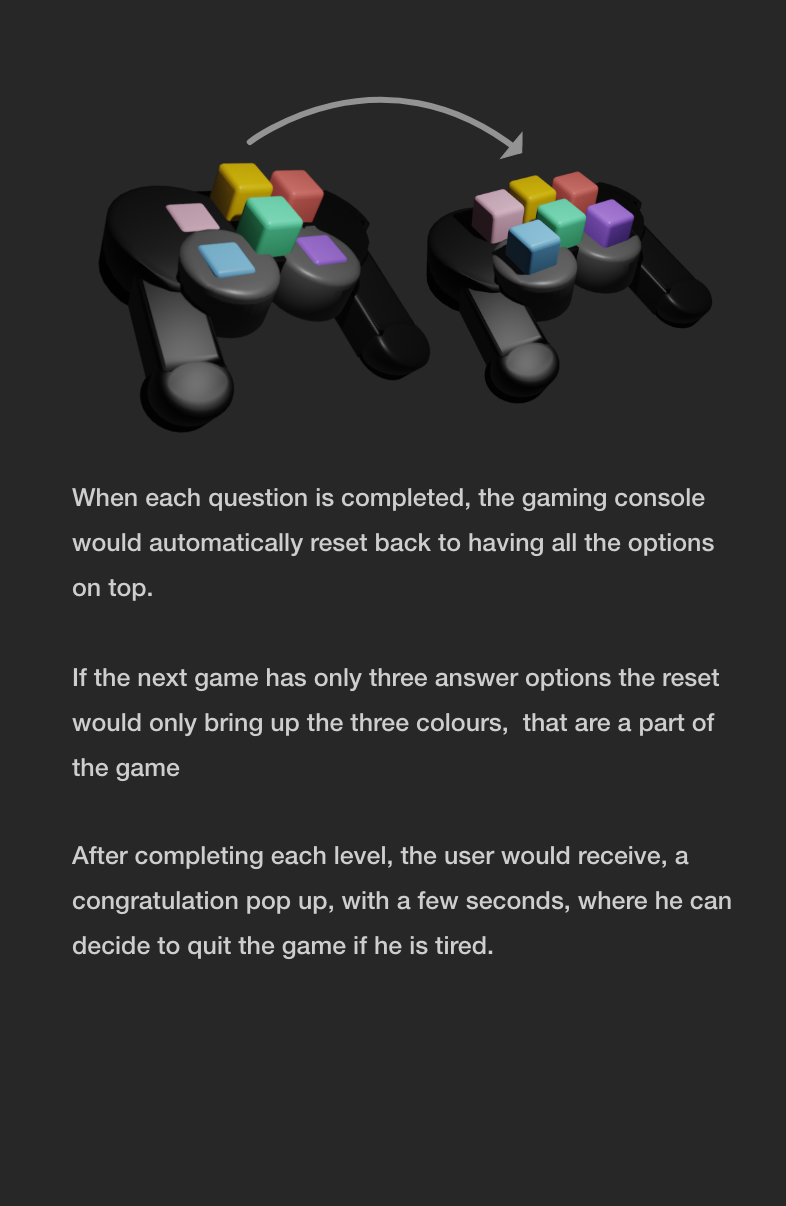
Using this console in playing the game limits the amount of activities only to the answer of the questions on the screen. Let’s say the child uses the mouse, and accidentally right clicks instead of the usual left click. In this case, he might come across something that he has never seen before, in an attempt to go back, he might try and click something else, which in turn would make things worse, requiring help comparatively more often. This problem would not arrive in the console as the options that he has are limited to the colour of the card. If he clicks on the wrong option, nothing happens, if he clicks on the right one, the game moves ahead, without anyone having to worry about accidentally clicking on the wrong buttons.

Secondly, having a console would help improve the child’s hand eye coordination, and the child might actually use his/her hand to play, helping in improving the child’s hand movements and the ability to recognise similarities between two objects.
Also, the child would not be staring at the screen all the time, when he/she looks at the console, their eyesight may get a break.  

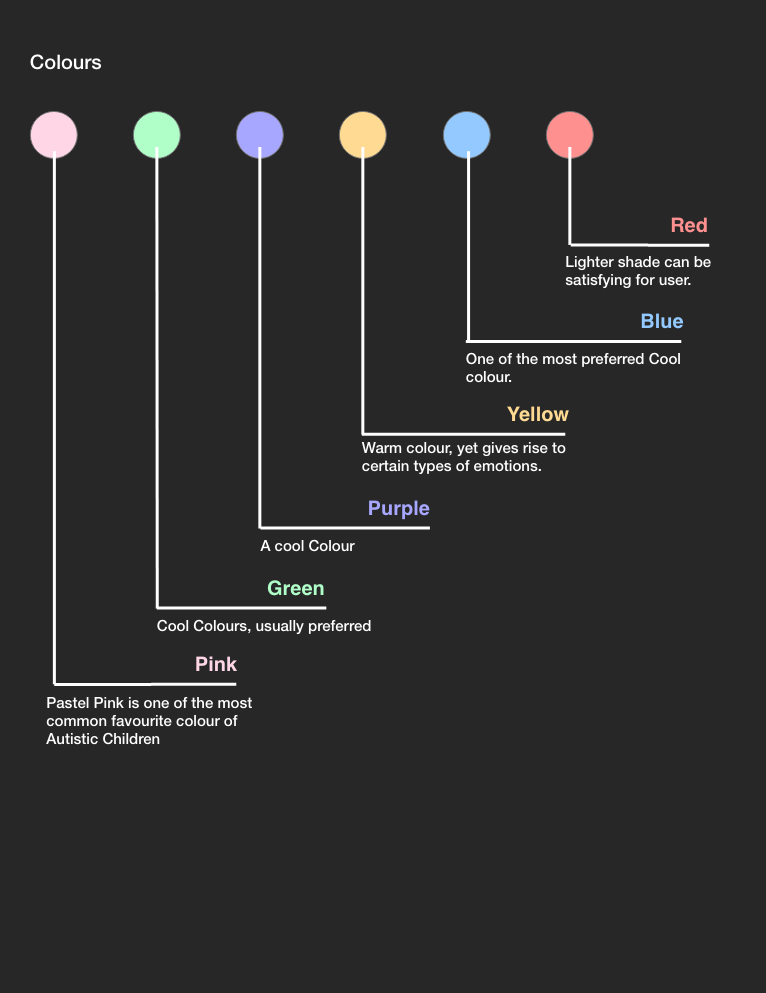
And third, usually, autistic children are very visual in their approach, using bright colours attracts them towards the object and the activity, This console would therefore, also attract the child with its colourful blocks.
08

SOUND SYSTEM

Type 1:
Text to speech:
All the questions and the answers would be read out aloud to the user. Instant reactions would be given when the user selects the right/wrong answer. Incase the user has difficulty reading this would turn out to be helpful and make things easier for the user. This output would be available in every challenge.

Type 2:
Sound Effects:
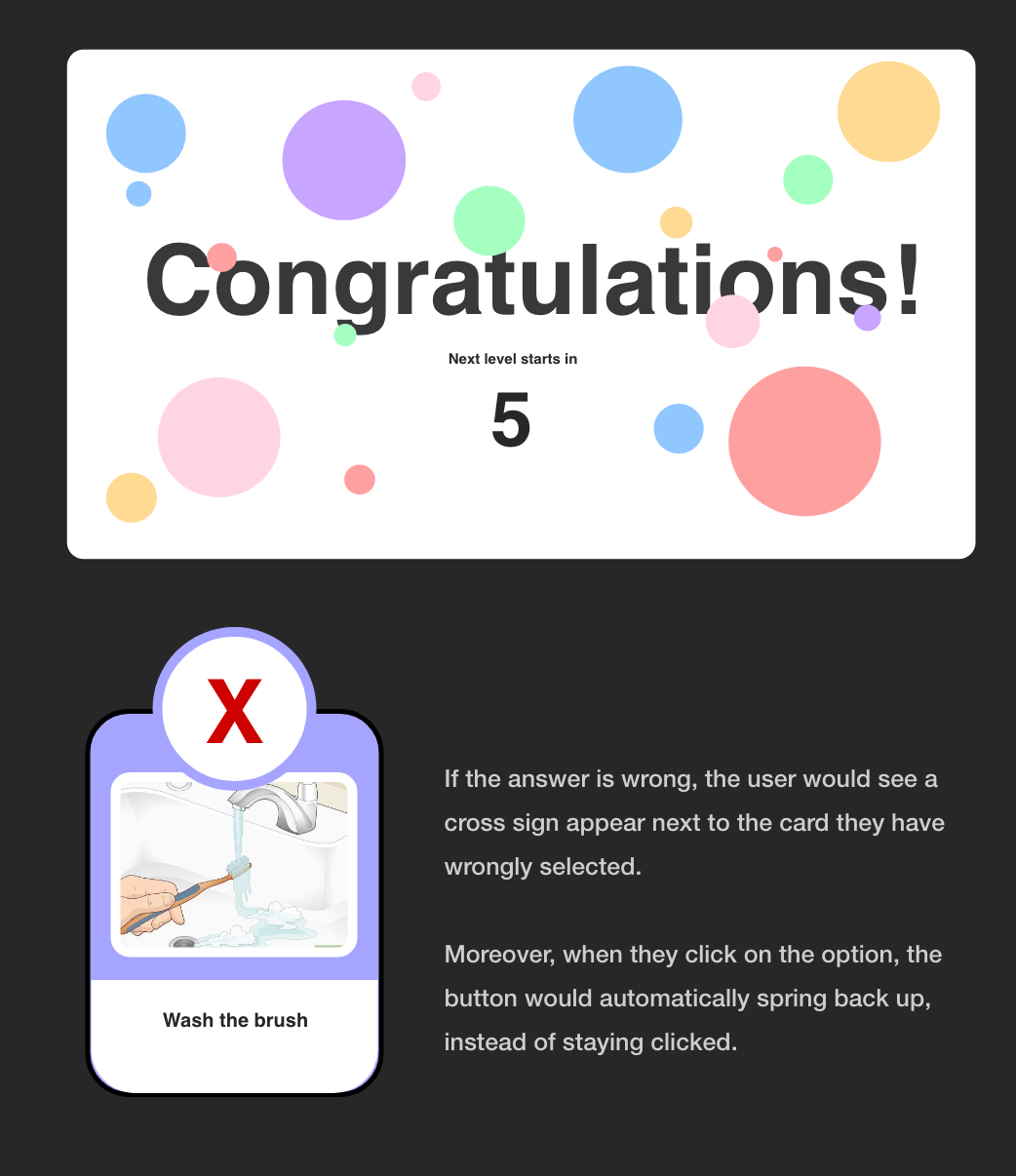
Satisfying click sound effects would come from the console every time, the user hits on the correct answer, and the screen too would display some sounds for when the timer is ticking, user is taking too long etc.
09

ACTIONS AND INTERACTIONS

10

POSSIBLE GAME CHARACTERISTICS

The therapist and the parent can be given an option to create their own set of questions and cards for the child other than the ones that already exist.
This game can be implemented as a multiplayer game with more options
A blocks panel can also be used in the game where the buttons can be detachable.
11

PROCESS

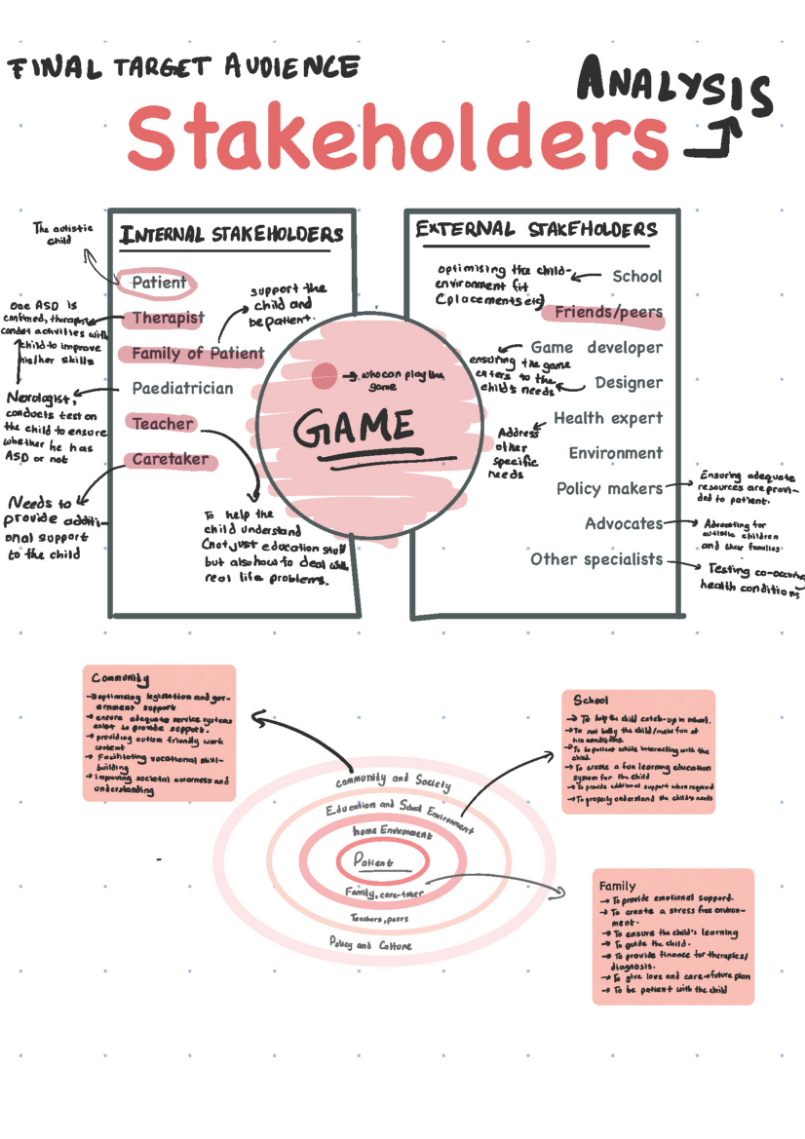
  • Stakeholder Analysis
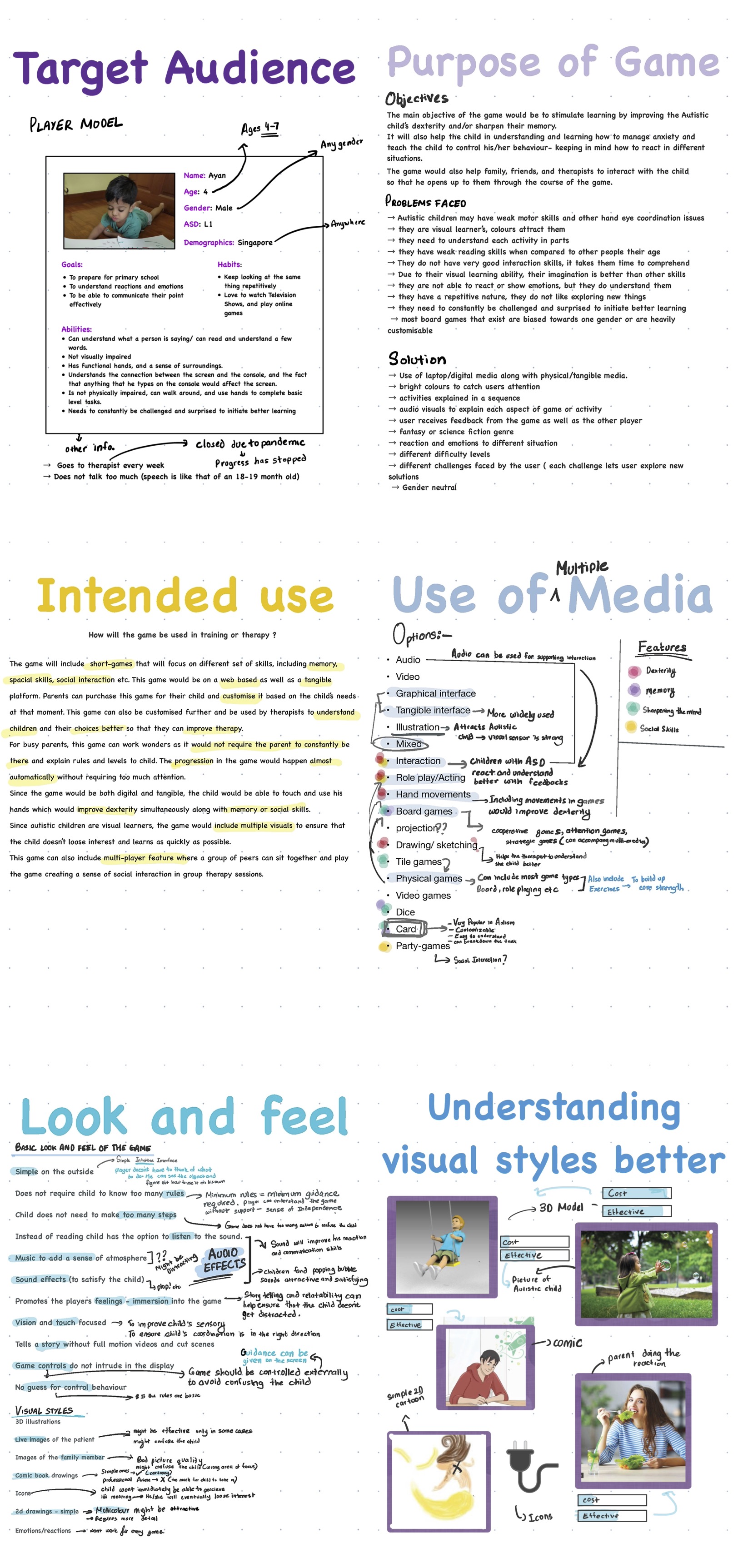
  • Target Audience
  • Purpose of Game
  • Intended Use
  • Use of Media
  • Look and Feel
  • Visual Style

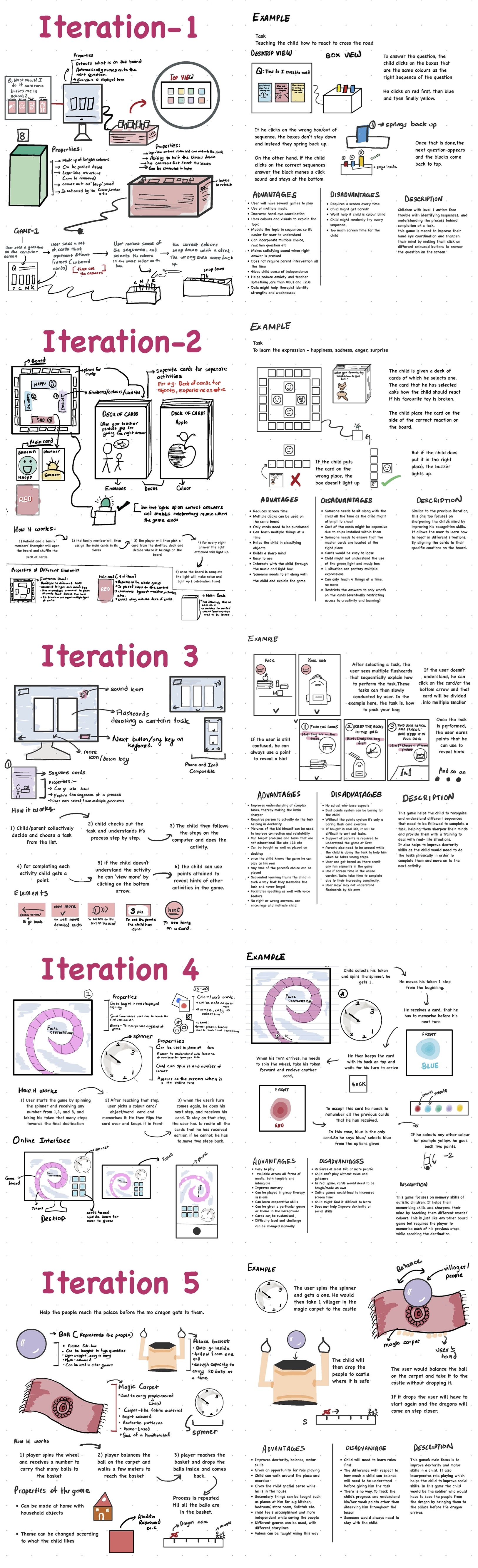
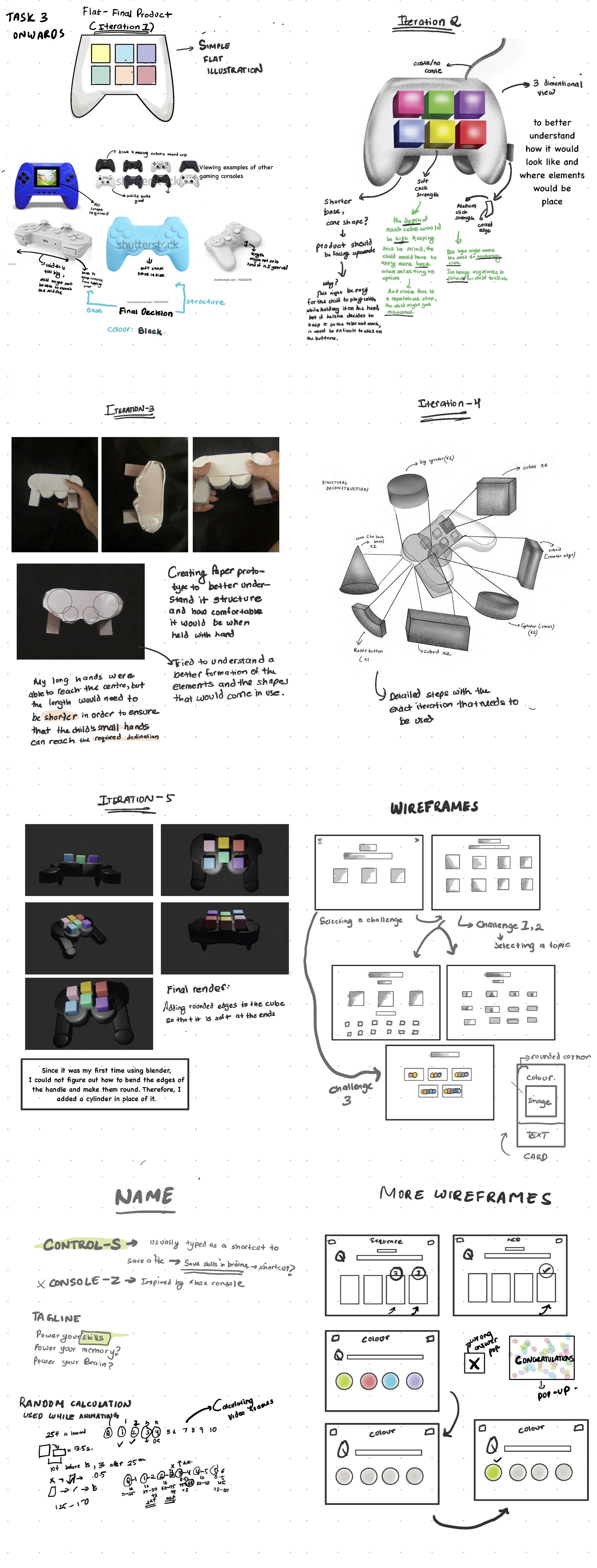
ITERATIONS

FINAL PRODUCT

PRODUCT SKETCH